
Diagnosing latent image ghosting requires a systematic evaluation of the printer's electrophotographic process to identify why secondary images appear on test pages. This technical analysis focuses on the interaction between the Organic Photo Conductor (OPC) drum and the fuser assembly. Ghosting typically occurs when the charge roller fails to neutralize the drum's latent surface potential or when the fuser's thermistor inaccurately regulates heat, causing improper toner adhesion. By measuring the repeat interval of the defect, technicians can pinpoint whether the malfunction resides in the developer unit, the pressure roller, or a depleted drum coating, ensuring precise maintenance and optimal print density.
Identifying Printer Ghosting Symptoms
Printer ghosting is a common hardware anomaly characterized by the appearance of faint, secondary replicas of an original image or text block further down the printed page. These "ghost" images often manifest as pale shadows or silhouettes of previous characters, creating a cluttered and unprofessional output. Unlike simple smearing or streaks, ghosting follows a specific rhythmic pattern, often repeating at precise intervals that correspond to the circumference of internal rotating components like the fuser or the photoreceptor drum.
To identify this symptom accurately, you should look for the following visual indicators during a test print:
- Light repetitions of high-contrast text or bold graphics occurring 2 to 4 inches below the primary mark.
- Faded mirror images that suggest the toner was not completely cleared from a previous rotation.
- Consistent geometric displacement of the duplicated image across multiple pages.
- A reduction in edge sharpness where the secondary image overlaps with fresh content.
Distinguishing ghosting from "bleeding" is vital; while bleeding involves ink spreading through paper fibers, ghosting is strictly an electro-mechanical failure where residual toner or latent electrostatic charges are improperly managed during the print cycle.
Root Causes of Faint Double Images
The occurrence of faint double images usually points to a breakdown in the electrophotographic process. In laser printers, the primary culprit is often a failure in the discharge cycle or a malfunctioning fuser assembly. If the fuser does not reach the required temperature, the toner particles fail to bond permanently to the substrate, leaving a residue on the heat roller. This residual toner then re-deposits onto the paper during the next revolution, creating the ghost effect.
The table below outlines common technical failures associated with these secondary images:
| Component | Failure Mechanism | Resulting Symptom |
|---|---|---|
| Primary Charge Roller | Inconsistent voltage application | Latent image retention |
| Fuser Heater | Thermal fluctuations | Incomplete toner bonding |
| Cleaning Blade | Physical wear or nicking | Residual toner carryover |
Additionally, electrical issues such as improper bias voltage on the developer roller can prevent the "cleaning" of the drum, leading to "pre-ghosting" where the previous image remains as a latent charge. Understanding these mechanical relationships is the first step in deep-level hardware diagnostics.
Analyzing Test Patterns for Ghosting
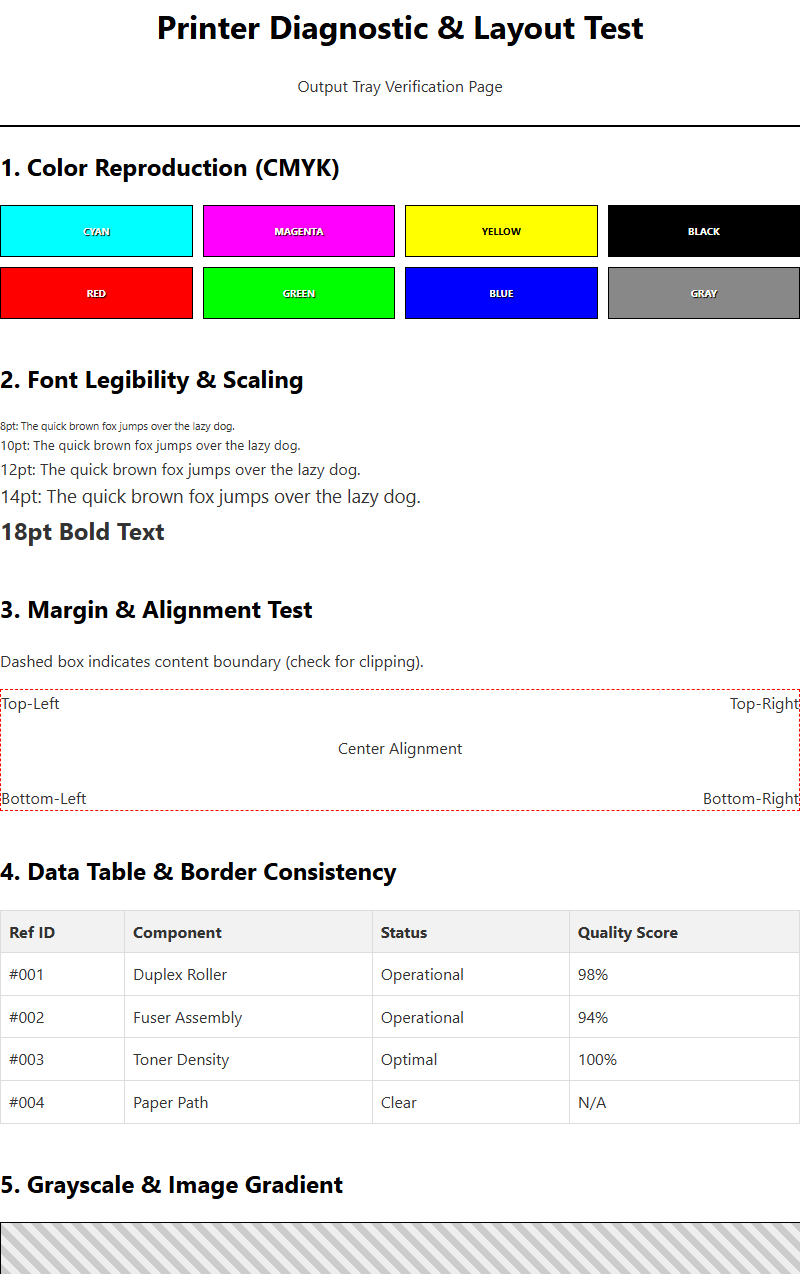
To effectively diagnose ghosting, technicians utilize specialized diagnostic test patterns. These pages typically consist of high-density black blocks, fine grids, and gradient scales. By printing a standard internal test page, you can measure the exact distance between the original image and its ghost. This measurement is critical because it acts as a fingerprint for the failing component. Every roller within a printer has a specific diameter; by calculating the interval of the repeat, you can map the error back to a specific part.
- Print a "Ghosting Test Sheet" containing bold horizontal bars at the top.
- Use a metric ruler to measure the distance from the top of the original bar to the top of the ghosted bar.
- Compare this measurement against the printer's service manual specifications for roller circumferences.
- Check for "negative ghosting," where the repeated image appears lighter than the background, often indicating a developer starvation issue.
By systematically analyzing these patterns, you move from guesswork to precision engineering. If the repetition occurs every 75mm, it likely points to the drum; if it occurs every 95mm, the fuser is the probable suspect. This mathematical approach ensures efficient troubleshooting.
Fuser Unit Temperature and Performance
The fuser unit is the final stage of the printing process, responsible for melting toner into the paper fibers through a combination of intense heat and pressure. Ghosting frequently occurs when the fuser's thermistor-the sensor that monitors temperature-provides inaccurate readings. If the fuser is too cold, the toner remains in a semi-solid state and sticks to the hot roller instead of the paper. This is known as "cold offsetting." Conversely, if the fuser is too hot, the toner may liquify excessively, leading to "hot offsetting" where the excess fluid clings to the pressure roller and reappears on subsequent sheets.
Performance degradation in the fuser can also be caused by worn Teflon coatings on the upper roller. As the non-stick surface erodes, the roller becomes "tacky," attracting toner particles that should have been deposited on the page. Regular inspection of the fuser's exit path is necessary to ensure that the stripper fingers are not accumulating melted plastic or toner buildup, which can disturb the uniform heat distribution across the assembly. Maintaining optimal thermal performance is essential for crisp, shadow-free documentation.
Photoreceptor Drum Surface Damage
The photoreceptor drum, often referred to as the Organic Photo Conductor (OPC) drum, is the heart of the imaging system. It holds the electrostatic latent image that attracts toner. Ghosting occurs here when the drum fails to "reset" its electrical state between rotations. If the surface of the drum is physically scratched or chemically contaminated, it may retain a residual charge from the previous scan line. This lingering charge continues to attract toner particles, resulting in a faint duplicate image being transferred to the next section of the paper.
Environmental factors, such as prolonged exposure to ambient light, can cause "light fatigue" on the drum's coating, permanently altering its sensitivity. Furthermore, a hardened or nicked cleaning blade can fail to physically scrape away excess toner from the drum surface. When the drum completes its 360-degree rotation, any uncleared particles are reintroduced into the development zone. Technicians should inspect the drum under a soft light for any visible rings or dull patches that correlate with the width of the ghosted artifacts. Replacing a depleted drum unit is often the most direct solution for persistent electrical ghosting.
Paper Quality and Moisture Content
The physical properties of the media used in a printer significantly influence the transfer of toner and the occurrence of ghosting. Paper that has absorbed excess moisture from the environment becomes overly conductive, which can disrupt the electrostatic transfer field between the drum and the paper. When the paper is too damp, it may not accept the full charge required to pull toner away from the photoreceptor, leaving a "shadow" of toner behind that ghosts onto the next page rotation.
To minimize ghosting related to media, consider the following guidelines:
- Store paper in a cool, dry environment and only open reams when ready for immediate use.
- Ensure the paper weight (GSM) matches the printer's driver settings; using "Heavy" settings for light paper can overheat the fuser.
- Avoid using recycled paper with high acid content or irregular surface textures that trap heat unevenly.
- Check for paper dust buildup, which can coat the rollers and act as a bridge for unwanted toner transfer.
High-quality, laser-optimized paper ensures a uniform surface for heat absorption and charge retention, drastically reducing the likelihood of moisture-induced ghosting defects.
Cleaning Rollers for Better Clarity
Internal cleanliness is paramount for maintaining high-resolution output. Over time, the various rollers within the paper path-including the transfer roller, registration rollers, and exit rollers-can accumulate a film of toner dust, paper lint, and adhesive residues. This buildup creates a "tacky" surface that can physically pick up toner from a freshly printed page and deposit it further down the sheet. Cleaning these components is a delicate process that requires technical precision.
Technicians should use lint-free cloths and, where specified by the manufacturer, small amounts of high-purity isopropyl alcohol. It is vital to avoid touching the transfer roller with bare skin, as skin oils can create permanent "dead spots" in the electrostatic field, leading to localized ghosting or light prints. Special attention should be paid to the discharge brush or static eliminator teeth; if these are clogged with dust, the paper will retain a static charge that pulls toner back toward the internal rollers. A systematic cleaning of the entire transport assembly often resolves intermittent ghosting that does not correspond to a single roller's circumference.
Transfer Belt Maintenance Procedures
In many modern color laser printers, an Intermediate Transfer Belt (ITB) is used to collect toner from four different drums before transferring it to the paper in a single pass. If the ITB is not properly maintained, it can become a primary source of ghosting. The belt relies on a dedicated cleaning blade and a waste toner auger to remove residual particles after the transfer process is complete. If the waste bin is full or the wiper blade has lost its tension, a "ghost" of the entire color image may persist on the belt.
- Initiate the printer's internal "Cleaning Mode" to cycle the belt against the cleaning blade.
- Visually inspect the belt surface for deep scratches or "filming," where toner becomes fused to the plastic.
- Verify that the ITB drive motor is operating at a constant velocity to prevent "shudder" ghosting.
- Check the internal bias springs to ensure the belt maintains even contact with the photoreceptor drums.
A failing transfer belt often produces ghosting across the entire width of the page, rather than localized spots. Regular replacement of the ITB assembly, according to the manufacturer's duty cycle, prevents these complex imaging errors.
Adjusting Toner Density Settings
Sometimes, ghosting is not a result of a broken part, but rather an imbalance in software or firmware configurations. If the toner density is set too high, the development unit may "overload" the drum with more toner than the transfer and fusing processes can handle. This excess toner saturates the cleaning systems and leads to residual carryover. By accessing the printer's advanced properties or web interface, users can calibrate the density levels to ensure a more efficient application of powder.
The following table shows how density adjustments impact the print cycle:
| Setting Change | Mechanical Impact | Ghosting Effect |
|---|---|---|
| Reduce Density | Lower Bias Voltage | Decreases residual toner buildup |
| Increase Fuser Temp | Better Polymer Fusion | Reduces cold-offset ghosting |
| Enable "Thick Paper" | Slower Throughput Speed | Increases dwell time for better bonding |
Fine-tuning these settings allows the printer to compensate for third-party toner cartridges or aging hardware components. Always perform a "Calibration Cycle" after adjusting density to let the printer's internal sensors re-map the color balance and electrostatic thresholds.
Preventative Maintenance for Clear Prints
The best strategy for eliminating ghosting is a robust preventative maintenance schedule. Ghosting is often the final symptom of a system that has been neglected or operated outside its environmental specifications. Regularly updating the printer's firmware can also play a role, as manufacturers often release patches that optimize the voltage timings of the charge rollers and the thermal curves of the fuser to better handle different toner formulations. Utilizing high-quality Original Equipment Manufacturer (OEM) supplies ensures that the toner's melting point and electrical properties are perfectly matched to the printer's internal hardware.
Monitoring the "Life Remaining" percentages on consumables like the fuser unit, transfer belt, and drum kit is essential. Many ghosting issues arise when these parts exceed their rated duty cycle by even a small margin. Additionally, keeping the printer in a climate-controlled area-ideally between 40% and 60% humidity-prevents many of the moisture-related transfer issues discussed previously. By combining clean hardware, fresh consumables, and optimized software settings, you can ensure that every test page remains sharp, clear, and entirely free of ghosting artifacts.




Comments